Showing posts with label PicMonkey. Show all posts

September 29, 2014

Free Halloween Images from PicMonkey

This is an exciting week!  October begins on Wednesday.  I'm always excited for October to begin because it means Halloween and all three of my boys' birthdays.  But this year it's extra exciting because baby boy number four will be joining us.  We're down to weeks here, and the anticipation is 
definitely building!

Free Halloween Images from PicMonkey @ Blissful Roots

I've been sharing a few of my favorite FREE Halloween images from PicMonkey for the last few Mondays, and with October beginning in just a few days, it's really time to start getting all your decorations, activities, treats, etc... ready to go.  So, I have yet another fabulous spooky PicMonkey find to share today.

All these classic creepies are available for you to use for FREE over at PicMonkey.  I used them last year in my Halloween Bing post over at Or So She Says.  There are so many great ones to choose from!


If you've been here the past two Mondays, then you know the drill.  I am adding one new step, which is the screen shot you see above.  This is PicMonkey's home page (don't you love Simian?).  When you arrive at the homepage, simply click on the Edit icon at the top of the page.  Then you can choose what image or canvas you wan to edit.  I often start with a plain white canvas.  I simply save a plain white document I made in my word processing program to my desktop, and use that.


Then you'll see this toolbar appear on the left-hand side of your canvas you are editing.  Click on the apple icon in the bottom left corner.


PicMonkey has a TON of themes, but we're using the 'Trick or Treat' one for today.  Just scroll down a bit, and you'll see it.


Once you've clicked on the 'Trick or Treat' theme, you'll see lots of items appear.  We want to use some of the Overlays.  I used the 'Classic Creepies' and the 'Pumpkins'.


Here are all the free 'Classic Creepies' you can use for whatever Halloween project you might be working on.


And here are the 'Pumpkins' you can choose from.  

Once you've decided which your overlays you like, simply click on them, and they'll appear on your blank canvas.  Then you can edit as you wish, adjusting size color, position, etc...

As I mentioned, these were perfect for creating a Halloween Bingo, and I'm sure you could think of a million other ways to use them!

And just in case you missed the past two Monday's posts, here are some other great Halloween freebies PicMonkey offers.

Free Halloween Garlands

Free Bat Images
Thanks so much for stopping by!  I hope you found a little something worth your time.

Linking up to these parties & Savvy Southern Style.

 photo Signature4_zps147dea12.jpg
Pin It

September 22, 2014

Free Halloween Bat Images from PicMonkey

Last week I shared some of PicMonkey's free Halloween garlands with you, and apparently I'm not the only one who loves a free Halloween image.  So, today I thought I'd stick with that same theme, and share a few more free Halloween goodies from PicMonkey.  Today, we're talking bats.

Free Halloween Bat Images from PicMonkey @ Blissful Roots

Bats of all kinds!  There are 8 different free bat images you can use.  Some may look the same at first glance, but each one is slightly different from the other, mostly in the shape and curvature of the wings.  I love how simple these bat images are!  They're perfect for an easy Halloween garland, cupcake toppers, anything!


So, just like with the Halloween garlands last week, you'll need to click on the 'Themes' icon when you begin editing in PicMonkey.  It's the apple image in the bottom left corner of the toolbar.


When you click on the apple, you'll see a whole list of themes appear.  School U will be first, and then you'll see all of the Halloween themes directly under that.  You'll want to click on the top theme 'Vampires'.


After you've clicked on 'Vampires' you'll need to scroll down a bit to find the 'Overlays'.


When you click on the 'Bats' overlay, these bat images will appear.  The top 8 bat images are free.  The bottom 4 require you to pay the Royale fee of $4.99/ month, or $33/year. 

Here are a few Halloween Printables I've made with the bats.

Happy Halloween Printable

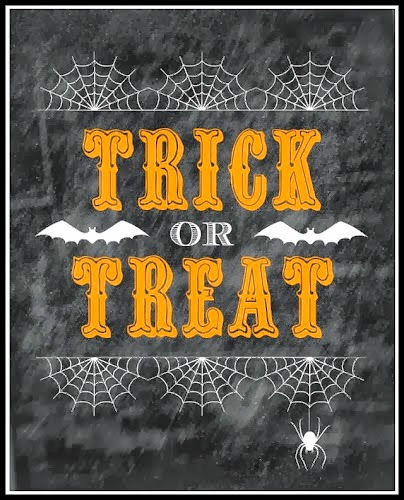
Trick or Treat Printable

And in case you missed last week's PicMonkey find, here are the Halloween garlands I shared.

Free Halloween Garlands from PicMonkey
Thanks so much for stopping by!  I hope you found a little something worth your time.

Linking up to these parties & Savvy Southern Style.

 photo Signature4_zps147dea12.jpg
Pin It

September 15, 2014

Free Halloween Garlands from PicMonkey

I love Halloween just as much as the next person (and probably more so), and I don't even decorate for it until October first.  But, if you're wanting to make a few new decorations for the spooky holiday, then now is the perfect time to get going on them.

Free Halloween Garlands from PicMonkey @ Blissful Roots

If you've been here before, then you know I'm in love with PicMonkey!  I love it year round, but their Halloween themes have to be my favorites!  Today's four free garlands are just the tip of the iceberg when it comes to their selection of Halloween images you can use.  As always, there are plenty of free items to use on PicMonkey, but you can always pay the Royale fee ($4.99/month or $33/year) and have access to EVERYTHING they offer.

Free Halloween Garlands from PicMonkey @ Blissful Roots

As always, after you've chosen 'Edit' from PicMonkey's home page, and you've chosen what you want to edit (I just used a plain white document to edit I have saved on my desktop), then you'll see this sidebar come up on the left.  Click on the apple icon at the very bottom of the menu.

Free Halloween Garlands from PicMonkey @ Blissful Roots

'School U' will be the first theme you see, but right under that you'll see all the Halloween themes.  Scroll down just a bit to the 'Trick or Treat' theme.


Free Halloween Garlands from PicMonkey @ Blissful Roots

Once you've click on that, you'll see all these great Halloween overlays appear. 

Free Halloween Garlands from PicMonkey @ Blissful Roots

 Click on 'Grim Garlands' and you'll see all four of these fantastic free garlands appear.  Simply click on the garland you want and then use it as you'd like.  You can change the size, color, and tilt.  Just experiment with them and find what look you're going for.

Here are two printables I created last year using the Grim Garlands.

Free Halloween Garlands from PicMonkey @ Blissful Roots
Trick or Treat Printable

Free Halloween Garlands from PicMonkey @ Blissful Roots
Happy Halloween Printable
These garlands would be perfect on any Halloween invitations your sending out for parties this year, for creating your own printable to hang on the wall, or anything else you can come up with!  I love how easy they are to use, and experimenting with all the different possibilities!  

Thanks so much for stopping by!  I hope you found a little something worth your time.

Linking up to these parties & Savvy Southern Style.
 photo Signature4_zps147dea12.jpg
Pin It

September 8, 2014

How To Use Free Fall Leaf Images in PicMonkey {@twelveOeight}

I didn't get this posted on Friday like I should have, but come on over and visit me at twelveOeight for a tutorial on how to use some gorgeous fall leaf images in PicMonkey.

How To Use Free Fall Leaf Images in PicMonkey from Blissful Roots

All the leaf images I share in the tutorial are FREE!  You can adjust the size and color of each leaf to customize your autumn projects.  These would make the perfect banner, gallery wall project, or I though place cards would be fun as well.  Endless possibilities!

 Stop by and check out the tutorial here. 

Thanks so much for stopping by!  I hope you found a little something worth your time.

Linking up to these parties & Savvy Southern Style.

 photo Signature4_zps147dea12.jpg
Pin It

August 5, 2014

How To Make Your Own Back To School Labels Using PicMonkey

I had every intention of having a fun new back to school printable all ready to go for today, but it just didn't happen.  One of my twins had his tonsils and adenoids out this morning, and while everything went really, really well, I haven't had a lot of free time on my hands.

How To Make Your Own Back To School Labels Using PicMonkey @ Blissful Roots

So, I have a repost from last year's back to school ideas.  This is a tutorial on how to make your own back to school labels in PicMonkey.  They have a fabulous School U theme that has all sorts of school overlays and fonts to use.  I like personalizing my boys' things before school starts so we can easily keep track of them throughout the school year.  So, I'm thinking a tutorial is better than an actual printable.  That way you can personalize your kid's belongings however you'd like.  

Click here for the entire post on how to make your own back to school labels in PicMonkey.

Enjoy the rest of your day.  I'm off to more popsicles and movies with my little guy.  He's been such a great patient, and his brothers have been more than helpful!  I'm one blessed mommy!


Thanks so much for stopping by!  I hope you found a little something worth your time.

Linking up to these parties & Savvy Southern Style.
 photo Signature4_zps147dea12.jpg


Pin It

July 28, 2014

Using Your Own Fonts in PicMonkey

I feel like I've had to reintroduce myself a few times this summer.  But, once again I'm back, and hopefully for good this time.  Our family has had an unexpectedly busy summer.  I feel like we haven't been in a normal routine since the second week of summer vacation (way back in the beginning of June).  I think all has settled now, and we'll be able to be a bit more scheduled these next few weeks before we have to say good bye to summer vacation.


Using Your Own Fonts in PicMonkey @ Blissful Roots


Today's post is so thrilling to me!  Two of my favorite online/digital worlds have collided.  Fonts and PicMonkey.  I have a slight font addiction (check out my font Pinterest board here) and ever since I entered the blogging world, PicMonkey has been my go-to free online photo editing stop. 

 Well, a few months back I received an email from PicMonkey with a few of their updates that were in the works.  Adding your own fonts was one of them.  I was excited when I read it, but once it actually went live and I was able to try it, I was in heaven!  PicMonkey always offered great fonts, but now I have access to my larger-than-life font library (dingbats included)!  The possibilities are completely endless!!


When you begin editing in PicMonkey you'll see a tool bar on the right hand side of screen.  Click on the 'Tt' icon for text.


Next, you'll see this box appear.  It will have an 'Ours' and 'Yours' box close to the top.   Click on the 'Yours' box, and presto!  There are all of your fonts right before your eyes.  It's really that simple!  Any font you have in your word processing program will show up in PicMonkey.  I honestly can't tell you have exciting this is to me!  I've been creating like crazy with it.

Using Your Own Fonts in PicMonkey @ Blissful Roots

This is just one example of something I created using my own font Cursif, and a bicycle dingbat (which were both free!).  So quick and easy to create, yet perfectly beautiful!  

If you have a free minute or two today, stop by PicMonkey and give it a try.  If you're anything like me, you'll get lost in it all, and not want to stop!  Thank you, yet again PicMonkey!

Thanks so much for stopping by!  I hope you found a little something worth your time.

Linking up to these parties & Savvy Southern Style.
 photo Signature4_zps147dea12.jpg
Pin It